
In today’s fast-paced digital world, smartphones have become an essential part of our daily lives. We use them for everything – from social media browsing and streaming videos to managing work and personal tasks. However, over time, you may notice that your phone starts slowing down, apps lag, or battery drains faster than usual. The good news is, you can improve phone performance with these settings without buying a new device. In this guide, we’ll share practical tips and tricks to optimize your phone for speed, efficiency, and smooth operation.
Why Your Phone Slows Down
Before diving into the solutions, it’s important to understand why phones slow down:
- Accumulated Cache and Data – Apps store temporary files, which can pile up and affect performance.
- Background Apps – Running multiple apps in the background consumes RAM and battery.
- Outdated Software – Using old software versions can lead to compatibility issues and slower performance.
- Too Many Widgets and Animations – While visually appealing, these can drain resources.
- Low Storage Space – Phones need free storage to function smoothly; when storage is nearly full, performance drops.
By addressing these issues through the right settings, you can breathe new life into your phone.
1. Optimize Your Storage Settings
One of the simplest ways to improve phone performance with these settings is by managing storage efficiently.
- Clear Cache Regularly: Go to Settings → Storage → Cached Data, and clear unnecessary files.
- Delete Unused Apps: Remove apps you rarely use. They take up space and often run background processes.
- Use Cloud Storage: Transfer photos, videos, and documents to Google Drive, iCloud, or similar services.
A clean storage system not only frees space but also allows your phone to perform tasks faster.
2. Manage Background Apps
Many apps continue running even when you’re not actively using them. This consumes RAM and slows down your phone.
- Force Stop Unnecessary Apps: Settings → Apps → Running → Select app → Force Stop.
- Restrict Background Data: Limit apps from using data in the background via Settings → Data Usage.
- Enable Battery Saver Mode: This restricts background activity and extends battery life.
By controlling background apps, you ensure that your phone’s memory is available for active tasks, improving speed and responsiveness.
3. Update Your Software
Keeping your phone and apps updated is crucial. Software updates not only bring new features but also fix bugs and optimize performance.
- System Updates: Settings → Software Update → Download and Install.
- App Updates: Use Google Play Store or App Store to keep apps up-to-date.
Regular updates prevent crashes and ensure smoother operation, directly contributing to improved performance.
4. Adjust Display Settings
Display settings impact performance more than many realize. Animations, brightness, and resolution can all slow your device.
- Reduce Animations: Developer options → Window/Transition animation scale → Set to 0.5x or off.
- Lower Screen Resolution: Some phones allow adjusting resolution in Settings → Display → Screen Resolution.
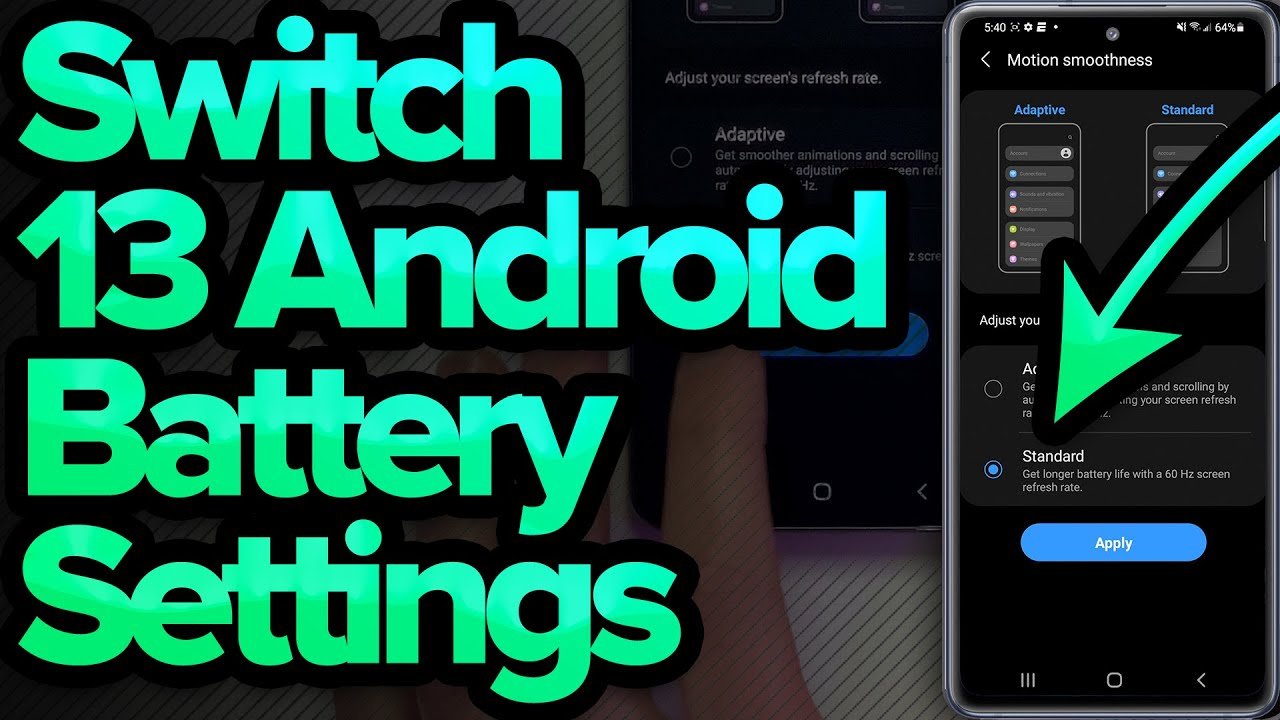
- Enable Dark Mode: Reduces battery usage and eases strain on OLED screens.
Tweaking these display settings helps your phone run faster while conserving battery.
5. Use Performance Mode
Many modern smartphones come with a built-in Performance Mode. This setting prioritizes speed and efficiency for demanding tasks.
- Enable Performance Mode: Settings → Battery → Performance Mode (or similar).
- Gaming Mode: Optimizes resources specifically for gaming apps.
Activating performance mode ensures your phone operates at its peak when you need it most.
6. Disable Unnecessary Widgets and Animations
Widgets are convenient, but too many can slow down your phone.
- Remove Unused Widgets: Long-press the widget → Remove.
- Limit Live Wallpapers: Use static wallpapers to save processing power.
Minimizing visual clutter makes your device feel snappier and more responsive.
7. Optimize App Settings
Some apps offer in-built settings to optimize performance:
- Social Media Apps: Reduce video autoplay, clear caches, and disable notifications you don’t need.
- Messaging Apps: Delete old media, limit auto-downloads.
- Streaming Apps: Lower streaming quality when not necessary.
Adjusting app-specific settings can significantly reduce lag and improve overall performance.
8. Restart Your Phone Regularly
It may sound simple, but restarting your phone is one of the easiest ways to improve phone performance with these settings. Restarting clears temporary files, stops background processes, and refreshes system memory.
- Tip: Restart your phone at least once a week for optimal performance.
9. Monitor Battery Health
Battery issues can affect performance. Old or degraded batteries can cause sudden shutdowns or slow performance.
- Check Battery Health: Settings → Battery → Battery Health (iOS) or use apps on Android.
- Avoid Overcharging: Keep battery between 20%–80% to extend lifespan.
A healthy battery ensures your phone runs smoothly and prevents throttling caused by power management issues.
10. Factory Reset as a Last Resort
If your phone is still slow after applying all these settings, a factory reset can help. It wipes all data and restores the device to its original state.
- Backup Data First: Use cloud services or an external drive.
- Perform Factory Reset: Settings → System → Reset → Factory Data Reset.
This should be your last step, but it often resolves persistent performance issues completely.
Conclusion
Smartphones are powerful tools, but without proper care, they can slow down over time. By implementing the tips above, you can improve phone performance with these settings effectively. From managing storage and background apps to adjusting display settings and keeping software updated, each small change contributes to a faster, smoother, and more efficient device.
Take control of your phone’s performance today, and enjoy a seamless, responsive experience without investing in a new device. Your smartphone deserves the best, and with these settings, it can perform like new again.