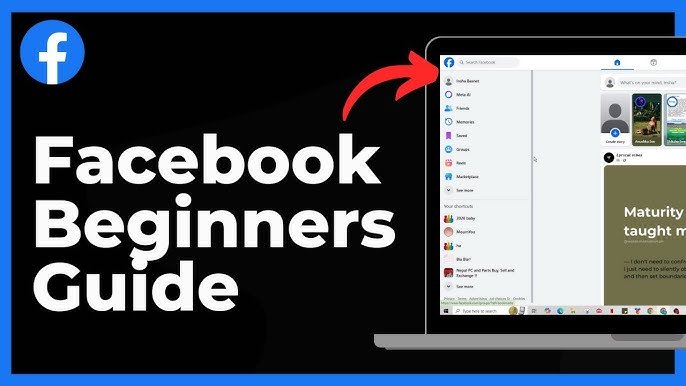

In today’s digital world, social media apps have become part of our daily lives. One of the most popular platforms is Facebook, used by billions of people around the globe. Whether you use it to stay connected with friends, share photos, run a business page, or follow news updates, it’s important to understand how to manage your settings properly.
This Facebook App Settings Guide will walk you through everything you need to know about configuring your Facebook app for better privacy, security, and personalization. By the end of this guide, you will know how to control notifications, protect your account, adjust privacy settings, and customize your Facebook experience like a pro.
What Are Facebook App Settings?
The Facebook App Settings section allows users to control how the app works, what information is visible, and how secure their account is. These settings include:
- Privacy controls
- Security options
- Notification preferences
- App permissions
- Profile visibility
- Data management
Understanding these options helps users protect their personal information while improving their overall Facebook experience.
This Facebook App Settings Guide is especially helpful for beginners who want a simple explanation of how everything works.
How to Access Facebook App Settings
Before changing anything, you need to know where the settings are located.
On Android or iPhone
- Open the Facebook app.
- Tap the Menu icon (three horizontal lines).
- Scroll down and tap Settings & Privacy.
- Tap Settings.
Here you will find all the available options to customize your Facebook account.
Following this Facebook App Settings Guide will help you explore each important section easily.
Privacy Settings: Control Who Sees Your Information
Privacy is one of the most important parts of the Facebook App Settings Guide. Facebook allows users to control who can see their posts, profile details, and activity.
Key Privacy Options
1. Who Can See Your Future Posts
You can choose:
- Public
- Friends
- Only Me
- Custom
For better privacy, it is recommended to keep this setting on Friends.
2. Review Posts You’re Tagged In
This feature allows you to approve tags before they appear on your timeline.
Enable this option by going to:
Settings → Profile and Tagging → Review Tags
3. Limit Past Posts
If you previously shared posts publicly, you can limit them to friends only using this option.
These privacy controls are essential in any Facebook App Settings Guide because they protect your personal information from strangers.
Security Settings: Protect Your Facebook Account
Online security is very important today. Hackers often target social media accounts, so you should always secure your profile.
Enable Two-Factor Authentication
Two-factor authentication (2FA) adds an extra layer of security.
Steps:
- Go to Settings
- Tap Password and Security
- Select Two-Factor Authentication
- Choose SMS or authentication app
After enabling this feature, Facebook will require a verification code whenever you log in from a new device.
This is one of the most recommended steps in any Facebook App Settings Guide.
Login Alerts and Device Management
Another helpful security feature is Login Alerts.
This option notifies you when someone logs into your account from a new device.
Steps to enable:
- Go to Password and Security
- Select Get Alerts About Unrecognized Logins
- Turn notifications ON
You can also see all devices currently logged into your account and remove suspicious sessions.
Notification Settings: Reduce Unwanted Alerts
Many users receive too many Facebook notifications. Thankfully, you can customize them easily.
Types of Notifications You Can Control
- Comments and reactions
- Friend requests
- Group activity
- Event reminders
- Marketplace updates
- Video notifications
To manage notifications:
Settings → Notifications → Customize Preferences
This part of the Facebook App Settings Guide helps improve your focus by reducing unnecessary distractions.
Managing App Permissions
Sometimes third-party apps connect to your Facebook account. These apps may access your information.
To check connected apps:
- Open Settings
- Tap Apps and Websites
Here you will see three sections:
- Active Apps
- Expired Apps
- Removed Apps
If you find any app you don’t trust, remove it immediately.
Managing permissions is a key part of this Facebook App Settings Guide because it protects your data from unknown applications.
Profile and Tagging Settings
Profile and tagging controls determine how people interact with your profile.
Important options include:
Who Can Post on Your Timeline
You can set it to:
- Friends
- Only Me
Many users prefer Only Me for better control.
Review Tags Before Posting
This feature allows you to approve posts that tag you before they appear publicly.
Enable it here:
Settings → Profile and Tagging → Review Posts You’re Tagged In
These settings ensure that unwanted content does not appear on your timeline.
How to Control Your Personal Information
Facebook stores a lot of personal data including:
- Phone number
- Email address
- Birthdate
- Location
- Work information
To edit these details:
Settings → Accounts Center → Personal Details
It’s recommended to hide sensitive information from public view.
Following this Facebook App Settings Guide will help keep your personal details safe.
Facebook Ad Preferences
Facebook uses your activity to show targeted ads.
You can control this in Ad Preferences.
Settings You Can Adjust
- Advertisers you’ve interacted with
- Ad topics
- Data used for ads
- Off-Facebook activity
To access:
Settings → Ads → Ad Preferences
If you want more privacy, limit how Facebook tracks your interests.
Data and Privacy Management
Facebook allows users to download and manage their data.
Download Your Facebook Data
Steps:
- Go to Settings
- Tap Your Facebook Information
- Select Download Your Information
You can download:
- Photos and videos
- Messages
- Posts
- Comments
- Activity history
This is useful if you want to keep a backup of your data.
This step is an important highlight of this Facebook App Settings Guide.
Managing Facebook Time and Digital Wellbeing
Spending too much time on social media can affect productivity.
Facebook offers tools to manage screen time.
Your Time on Facebook
This section shows:
- Daily usage statistics
- Time reminders
- Quiet mode
To access:
Settings → Your Time on Facebook
This feature helps users maintain a healthy balance between online and offline life.
Facebook App Settings for Better Privacy (Quick Tips)
Here are some quick tips from this Facebook App Settings Guide:
✔ Enable two-factor authentication
✔ Limit profile visibility to friends
✔ Review tags before they appear
✔ Remove unknown apps from account access
✔ Turn off unnecessary notifications
✔ Hide personal contact details
✔ Check login activity regularly
These small changes can greatly improve your online safety.
Common Facebook Settings Mistakes to Avoid
Many users ignore important settings, which can lead to privacy issues.
Avoid these common mistakes:
- Leaving posts set to Public
- Ignoring security alerts
- Allowing unknown apps access
- Sharing too much personal information
- Not updating passwords regularly
Following this Facebook App Settings Guide can help you avoid these problems.
Facebook App Settings for Businesses and Creators
If you run a business page or creator profile, managing settings becomes even more important.
Important settings include:
- Page roles and permissions
- Messaging settings
- Comment moderation
- Audience restrictions
- Page notifications
These settings help maintain a professional and secure online presence.
Why Understanding Facebook Settings Matters
Many people use Facebook daily but never check their settings. This can expose personal data and reduce account security.
By following this Facebook App Settings Guide, you can:
- Protect your account from hackers
- Control your personal information
- Reduce spam notifications
- Improve your Facebook experience
- Maintain better online privacy
Learning these settings takes only a few minutes but offers long-term benefits.
Final Thoughts
Facebook remains one of the most widely used social media platforms, and knowing how to manage your settings is essential for a safe and personalized experience.
This Facebook App Settings Guide explained everything from privacy controls and security options to notification management and data protection. By adjusting these settings, you can take full control of your Facebook account and protect your digital identity.
If you regularly review and update your settings, you will enjoy a safer and more comfortable social media experience.
Whether you’re a beginner or an experienced user, this Facebook App Settings Guide ensures you get the most out of the Facebook app while keeping your information secure.