
Android smartphones have become an essential part of our daily lives, offering endless possibilities to personalize our devices. Whether it’s boosting performance, improving battery life, or making your phone more user-friendly, knowing how to customize Android settings like a pro can transform your experience. In this article, we’ll walk you through expert tips, hidden features, and practical tricks to make your Android phone truly yours.
Why Customizing Android Settings Matters
Android devices come with a vast array of features, but most users only scratch the surface. Customizing settings allows you to:
- Optimize performance and speed
- Improve battery life
- Enhance privacy and security
- Personalize the interface
- Increase productivity
By learning how to customize Android settings like a pro, you can tailor your phone to your lifestyle, making every interaction smoother and more enjoyable.
1. Unlock Developer Options for Advanced Customization
One of the first steps to customize Android settings like a pro is unlocking Developer Options. Here’s how:
- Open Settings on your Android device.
- Scroll to About Phone.
- Tap Build Number seven times until a message appears confirming Developer Mode is enabled.
- Go back to Settings → System → Developer Options to access advanced settings.
In Developer Options, you can tweak animations, background processes, USB debugging, and more. Reducing animations, for instance, makes your phone feel faster.
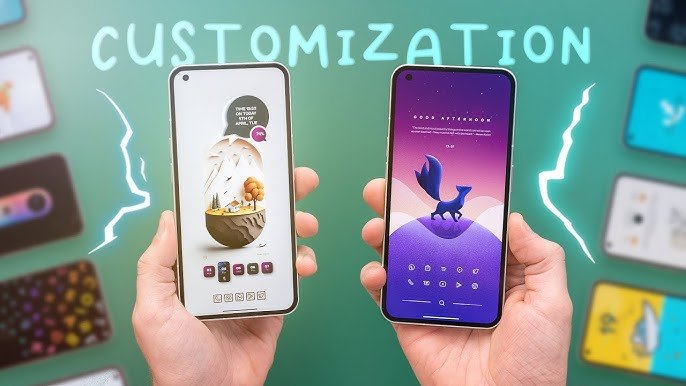
2. Personalize Your Home Screen and Themes
Customizing your home screen is a fun way to make your Android device feel unique. Tips include:
- Change Wallpapers: Use dynamic or live wallpapers for a fresh look.
- Widgets: Add clock, weather, and productivity widgets for convenience.
- Icon Packs: Download custom icon packs from the Play Store to match your style.
- Themes: Many manufacturers like Samsung and Xiaomi offer built-in themes to completely transform the interface.
Using these tricks, you can customize Android settings like a pro and make your phone reflect your personality.
3. Optimize Notifications and Do Not Disturb
Notifications can be overwhelming, but Android allows precise control:
- Notification Channels: Apps can have separate notification settings, so you control which alerts are urgent.
- Priority Notifications: Highlight critical messages while silencing others.
- Do Not Disturb Mode: Schedule DND mode to avoid interruptions during work or sleep.
Mastering notifications is a key aspect of knowing how to customize Android settings like a pro.
4. Improve Battery Life with Smart Settings
Battery optimization is essential for modern Android users. Some expert tips include:
- Adaptive Battery: Limits battery usage for apps you rarely use.
- Dark Mode: Reduces power consumption on OLED screens.
- Screen Timeout and Brightness: Adjust these to save energy without sacrificing usability.
- Battery Saver Mode: Activate automatically when the battery drops below a certain percentage.
By managing these settings, you ensure your device lasts longer and functions efficiently, an essential part of customizing Android like a pro.
5. Enhance Privacy and Security
Privacy is more important than ever. Here’s how to secure your device while customizing Android settings like a pro:
- App Permissions: Only allow necessary permissions.
- Biometric Locks: Use fingerprint or face unlock for added security.
- Secure Folder: Some devices offer a secure space for sensitive files and apps.
- Find My Device: Keep this enabled in case of theft or loss.
These adjustments ensure your personal data stays protected while keeping your Android experience smooth.
6. Master Sound and Display Settings
Sound and display customization can enhance your daily usage:
- Ringtones & Notification Sounds: Personalize tones for specific contacts.
- Volume Levels: Adjust media, calls, and notifications separately.
- Display Resolution & Refresh Rate: High refresh rates improve visuals but consume more battery. Adjust based on preference.
- Night Light Mode: Reduces blue light for comfortable night-time viewing.
These subtle tweaks make your phone more enjoyable and tailored to your preferences.
7. Use Gestures and Shortcuts for Efficiency
Modern Android devices offer gestures and shortcuts to boost productivity:
- Swipe Gestures: Quickly navigate without buttons.
- Double Tap to Wake: Access your phone faster.
- App Shortcuts: Long-press apps to access quick functions.
- Custom Buttons: Assign physical buttons to launch apps or take screenshots.
Mastering these features is a hallmark of someone who knows how to customize Android settings like a pro.
8. Leverage Accessibility Features
Android’s accessibility settings are not just for those with disabilities—they’re powerful tools for everyone:
- Magnification: Zoom in on content effortlessly.
- Color Correction & High Contrast Text: Improve readability.
- Voice Access & Assistant Commands: Control your phone hands-free.
Exploring these features allows you to unlock hidden potential in your device.
9. Automate Tasks with Smart Features
Automation can save you time and effort:
- Google Assistant Routines: Automate actions like turning off Wi-Fi at night.
- Bixby or Samsung Routines: Trigger events based on location, time, or device status.
- IFTTT Applets: Create custom automated workflows.
Automation is a critical step to truly customize Android settings like a pro.
10. Keep Your Device Updated
Lastly, maintaining your Android system is key:
- System Updates: Install regularly for new features and security patches.
- App Updates: Ensure apps run smoothly with the latest versions.
- Storage Management: Clear cache and unused apps to keep the device responsive.
A well-maintained phone performs better and unlocks more customization potential.
Conclusion
Knowing how to customize Android settings like a pro is not just about aesthetics—it’s about efficiency, security, and personal comfort. From developer tweaks and battery optimization to gesture controls and automation, every setting you adjust enhances your experience.
Take the time to explore your Android device, experiment with features, and make it truly yours. By applying the tips above, you’ll not only use your Android smarter but also stand out as a power user in 2026.